
Start in seconds
Choose Boxing, MMA, HIIT, Tabata, or Custom, then adjust prep, rounds, work, and rest before you train.
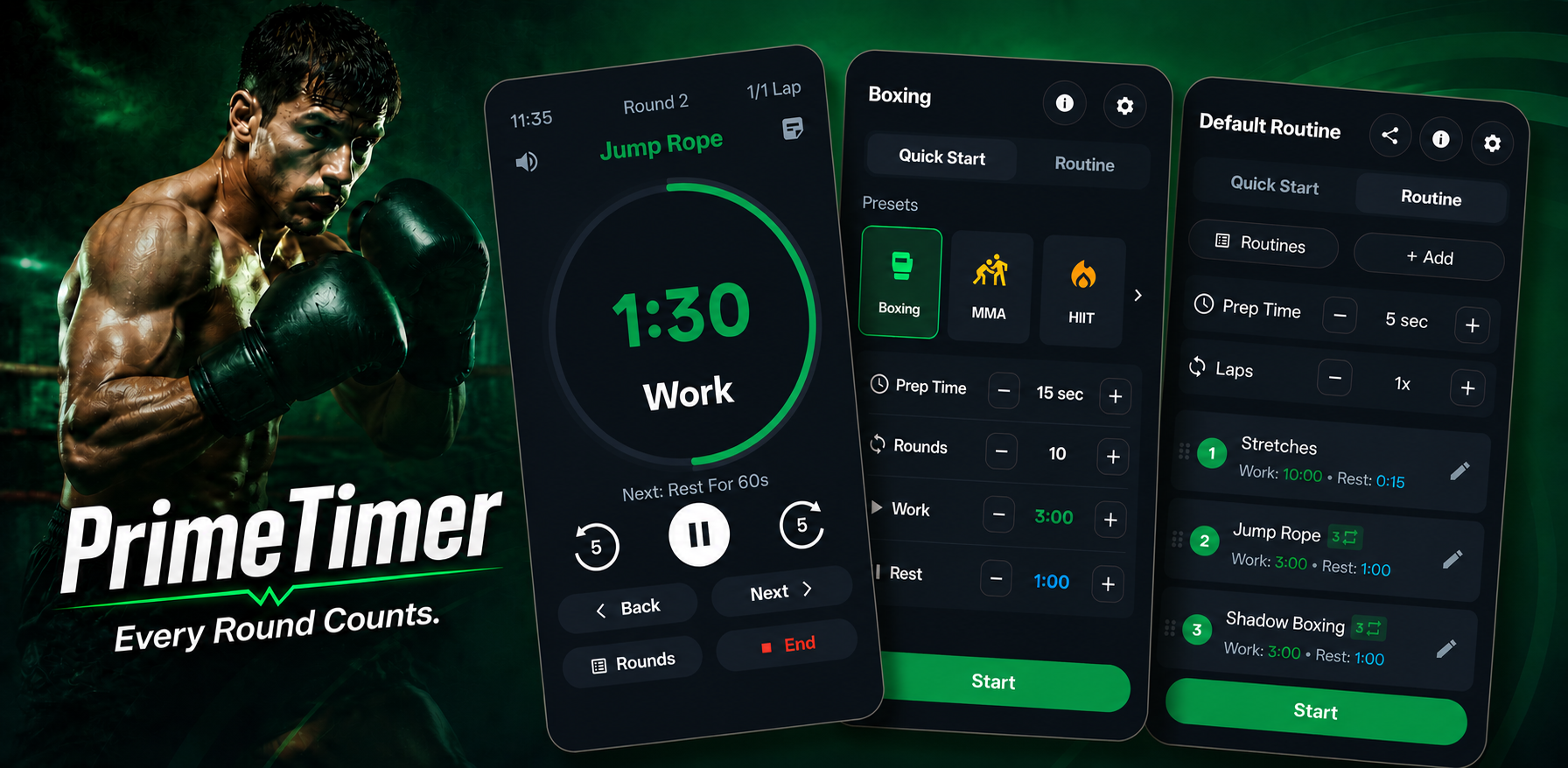
Timer for real training
PrimeTimer is a customizable boxing and interval timer for boxing rounds, MMA, HIIT, Tabata, circuits, and the routines you build yourself. Record your own voice and set cues at the timing you want.
Android · Free to download · No ads · No account · No subscription
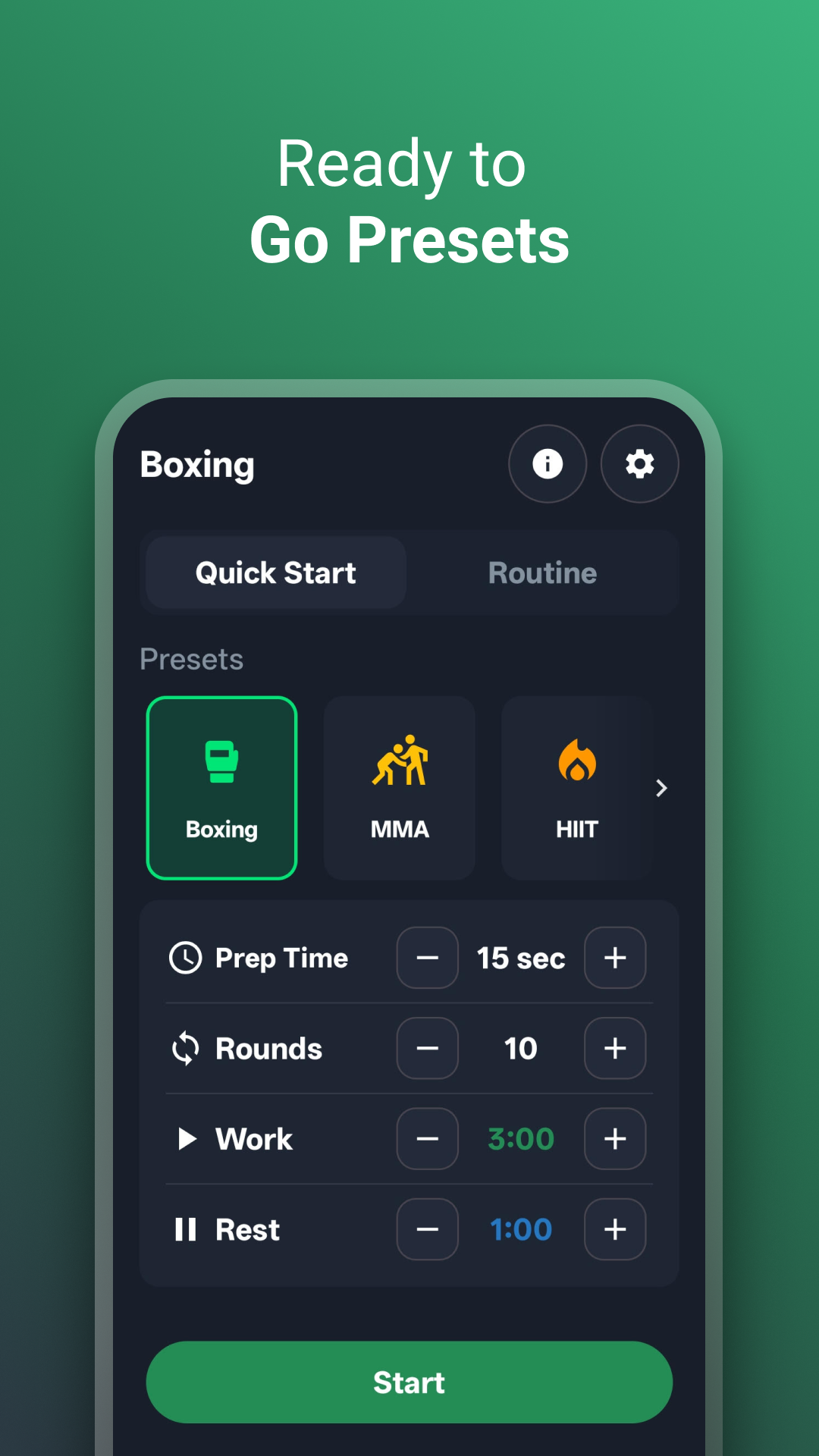
Boxing, MMA, HIIT, Tabata, and Custom are starting points. Change rounds, work, rest, and prep anytime.
Start quickly when you need speed. Build deeper routines when the session calls for it.
Choose Boxing, MMA, HIIT, Tabata, or Custom, then adjust prep, rounds, work, and rest before you train.
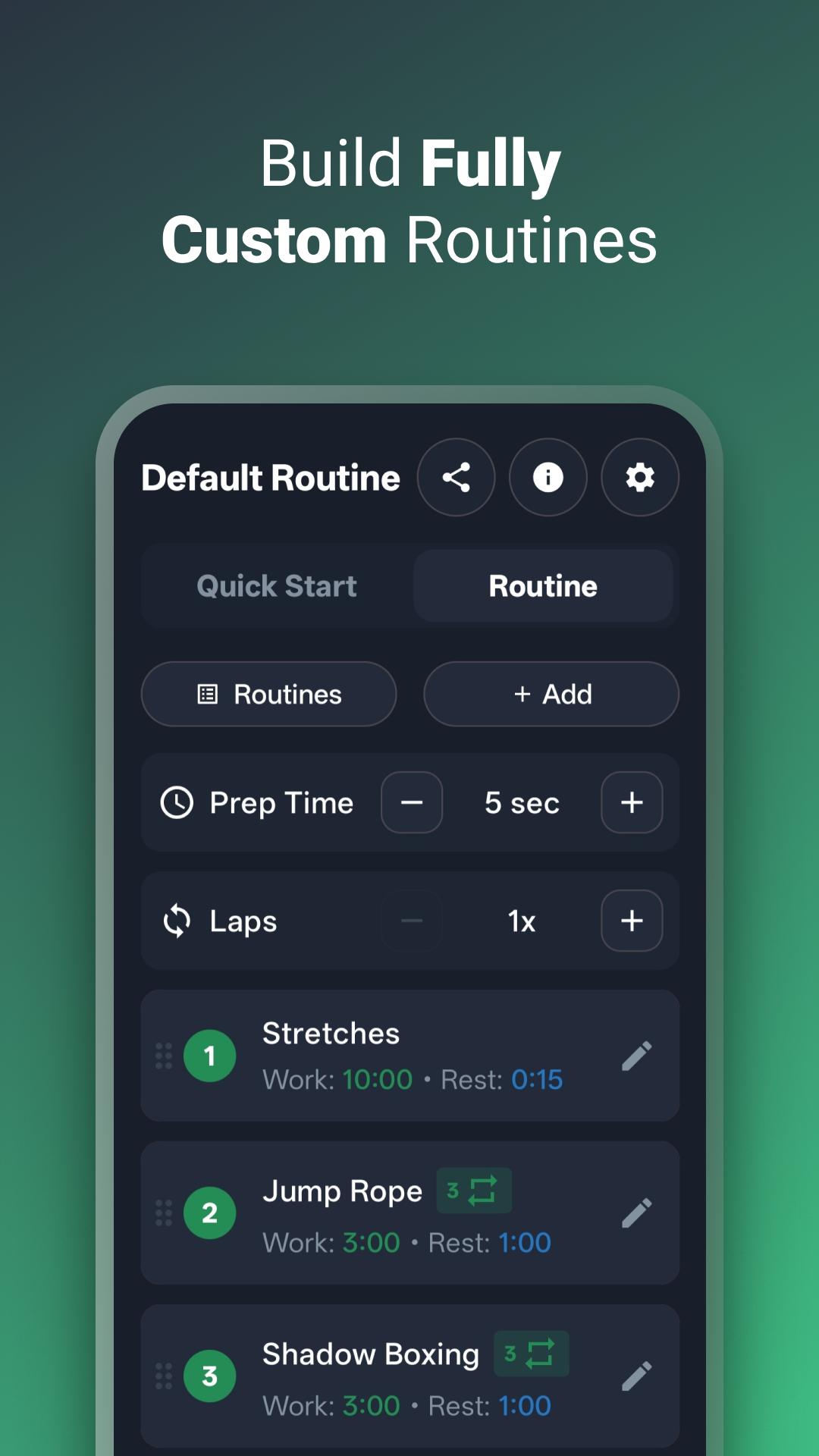
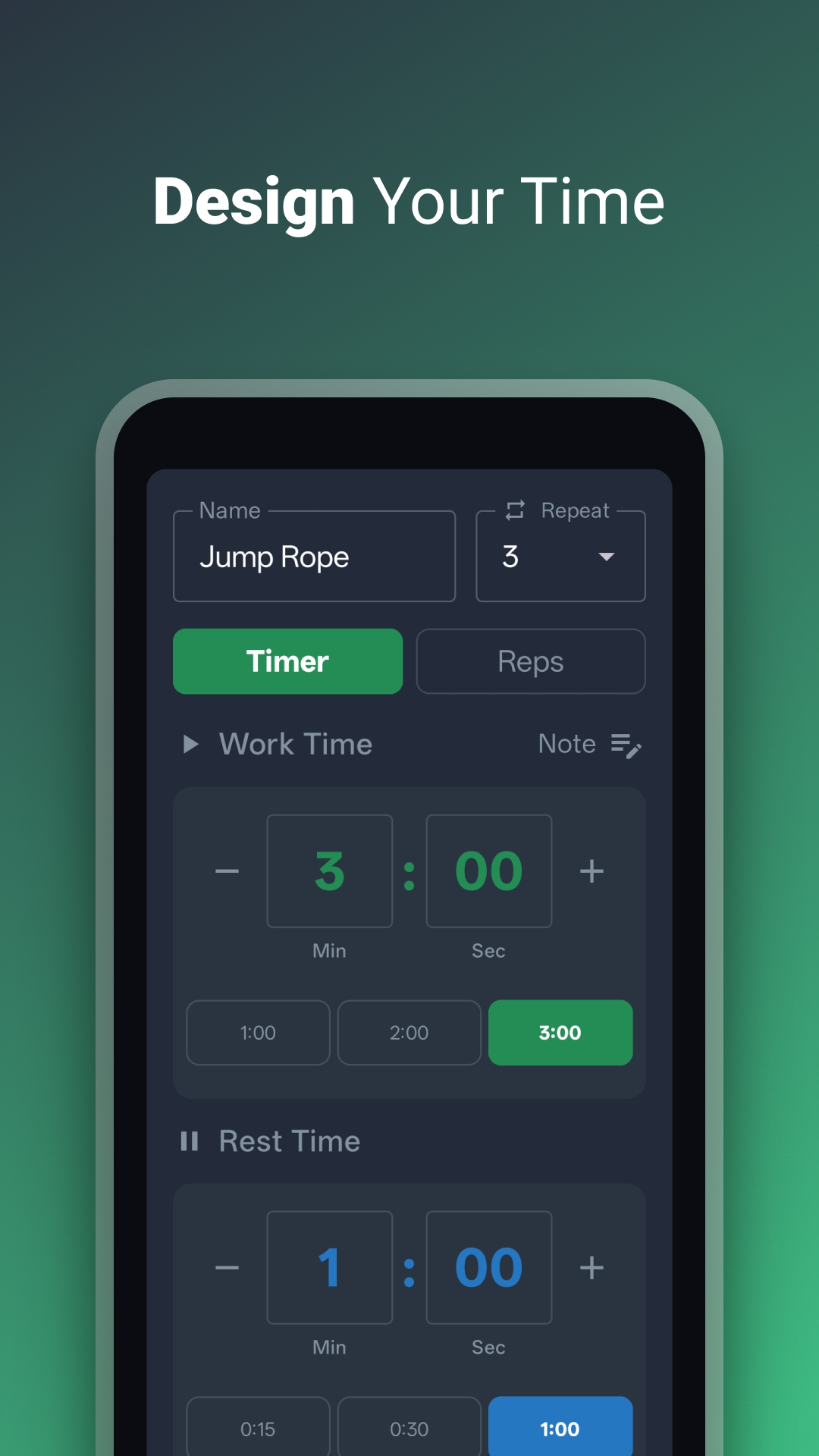
Set prep, work, rest, repeats, and laps for routines that fit your session.
Use sounds, vibrate-only mode, vibration patterns, and optional voice cues so you can stay off the screen.
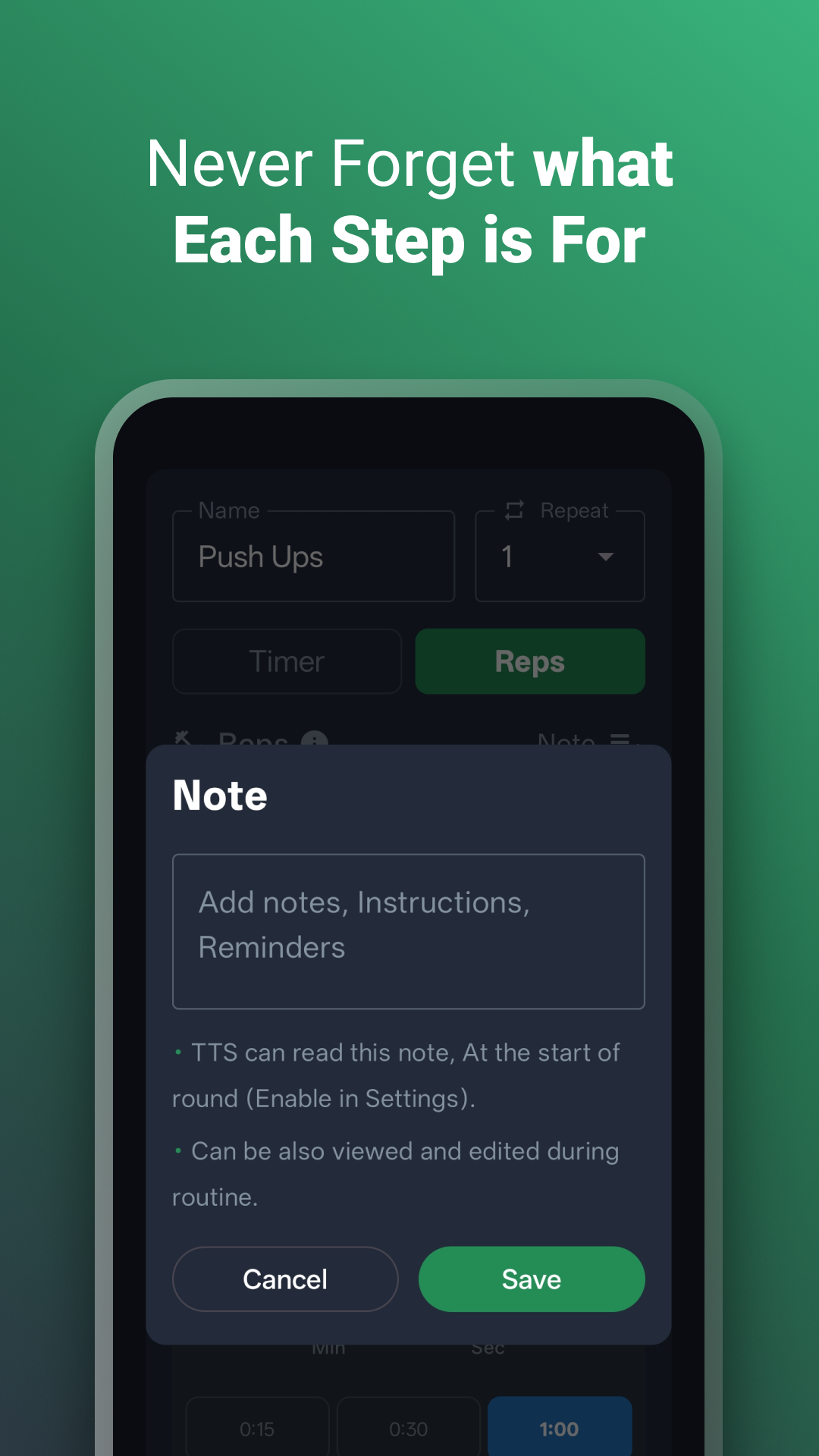
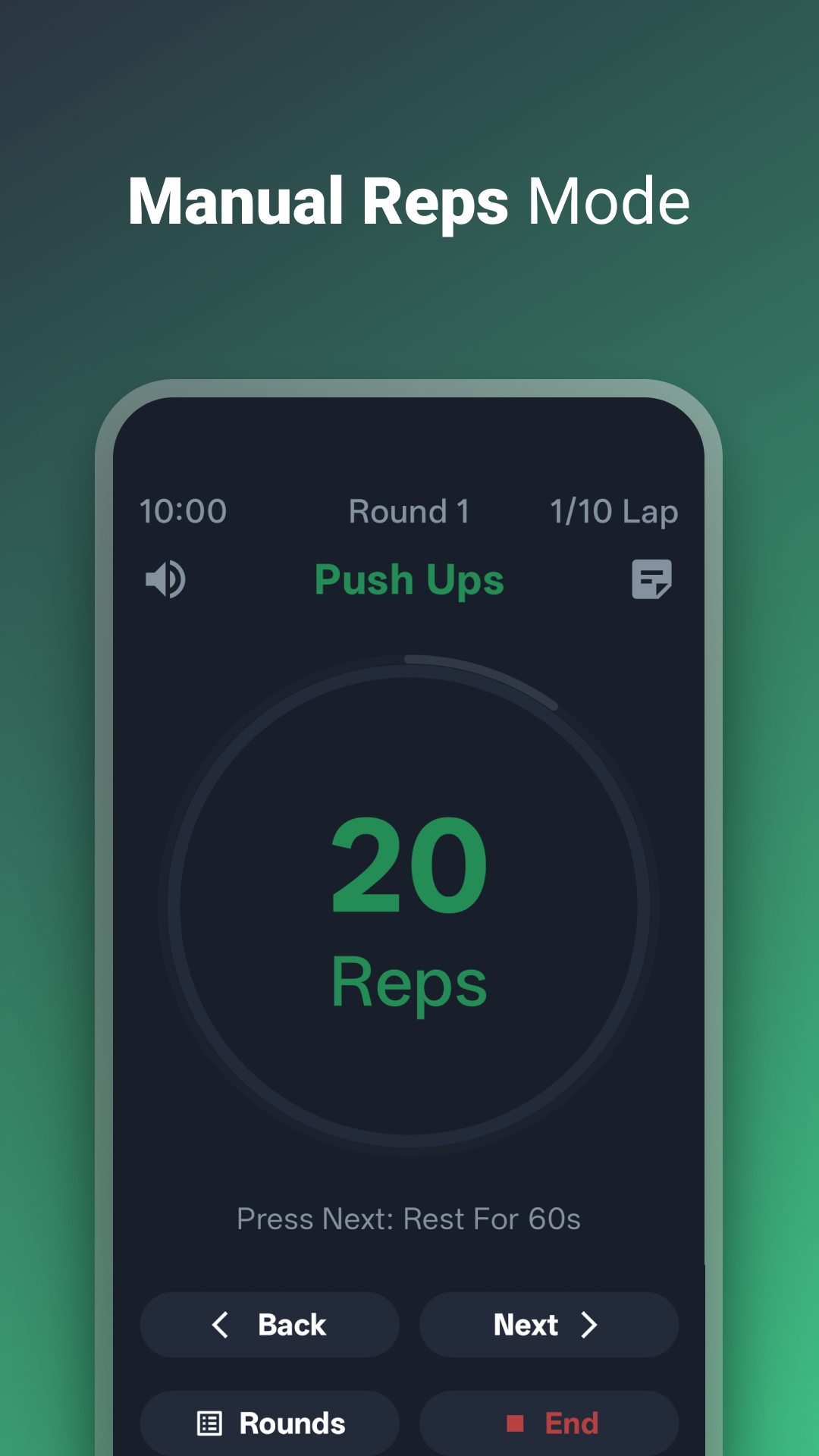
Drag to reorder rounds, add notes, and choose timer-based or rep-based work.
Send a routine by link so another PrimeTimer user can import it.
Keep a workout history of completed and partial sessions you can revisit later.
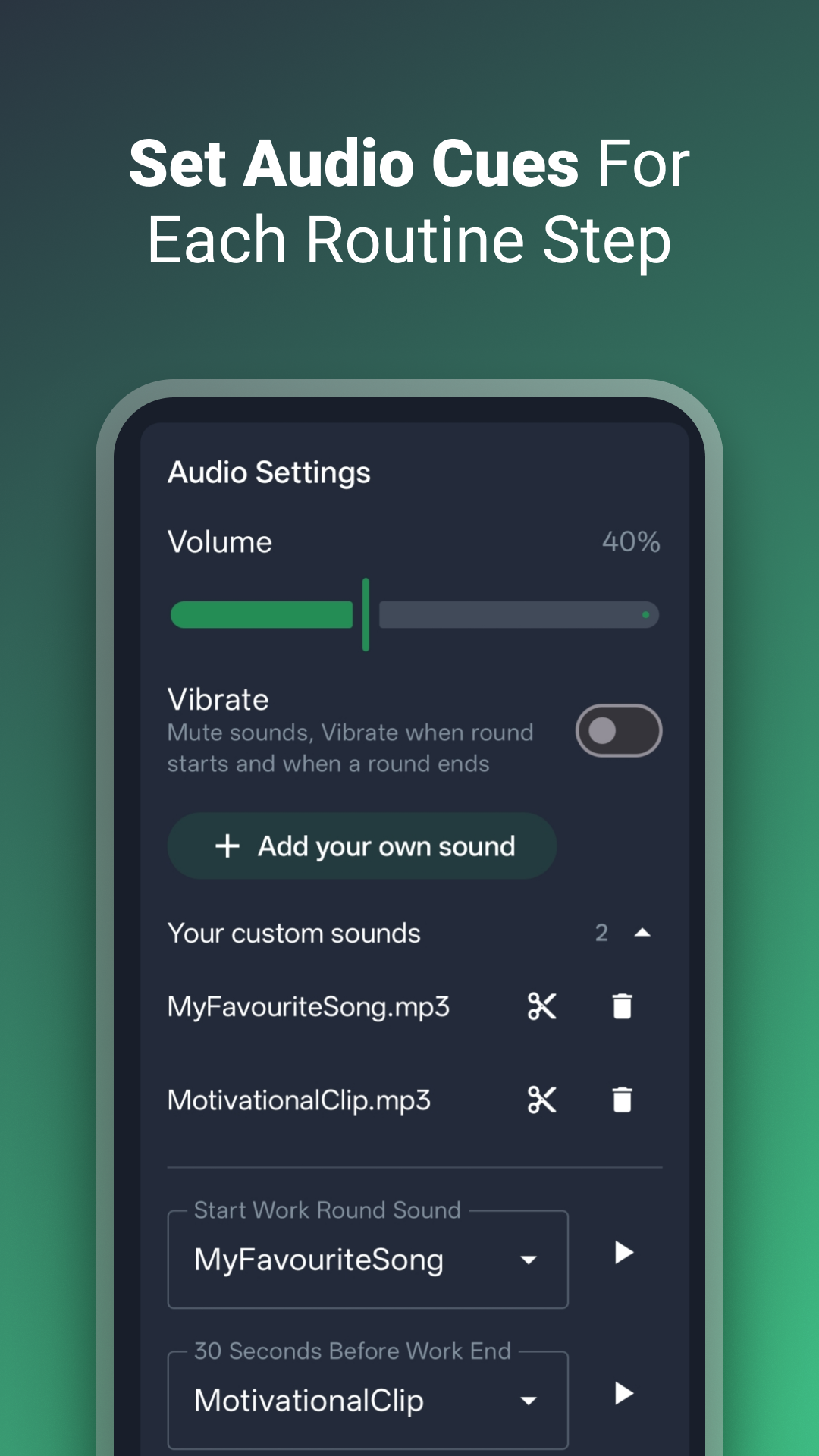
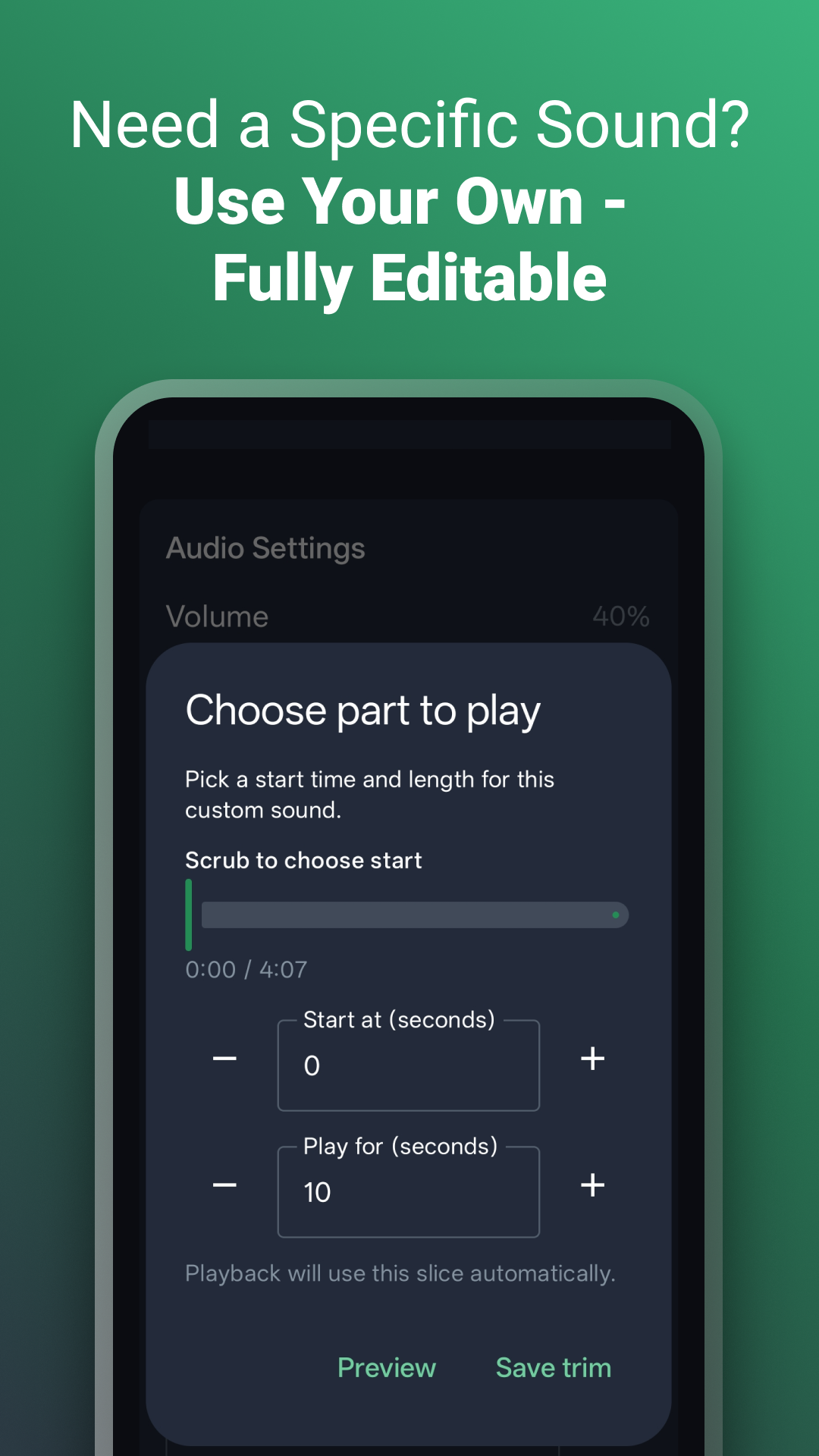
Import a file or record your voice, trim it, and assign it to work, rest, warnings, or a timed cue.
Use 30s, 15s, and 10s warnings, spoken 3-count and 5-count voices, or cues at the second you choose.
Keep training with notification controls for pause, next, previous, and end when the screen is off.
Pause, skip rounds, jump to a round, or move five seconds at a time without resetting the session.
Search, sort, rename, duplicate, and delete saved routines as your list grows.
See current and best streaks, weekly sessions, and active training time over the week.
Record a short callout in the app, pick the part to play, and use it as any cue.
Play a sound after work or rest starts, or before either phase ends. Add as many cues as you want.
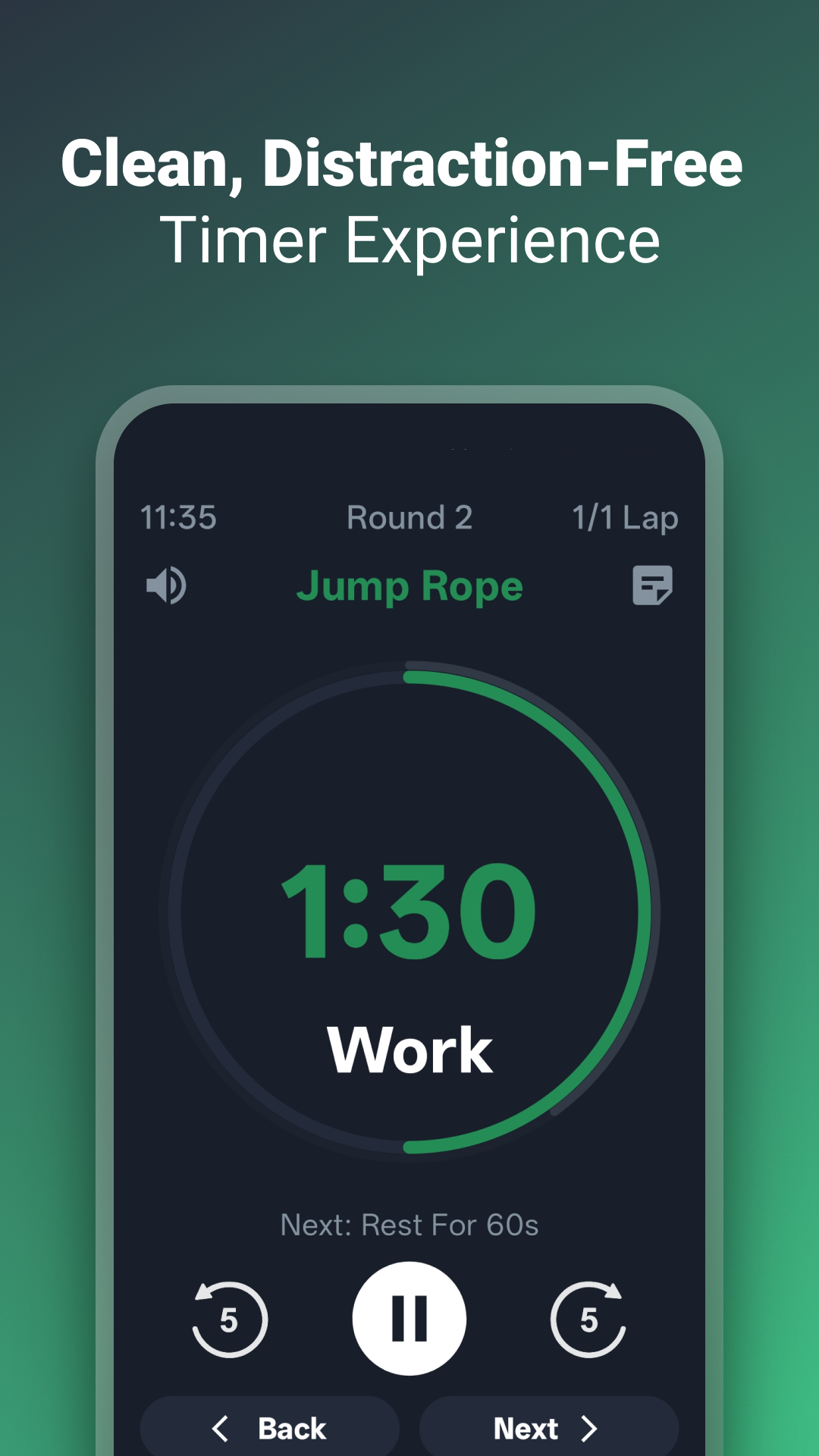
Time heavy bag work, sparring, or shadowboxing with a 3-minute boxing clock. Set a bell and 30-, 15-, or 10-second warnings.
Explore timer → MMAUse a five-minute MMA round timer as a starting point, then build grappling, striking, sparring, and conditioning intervals around it.
Explore timer → HIITSet your work and rest intervals, then let PrimeTimer handle every changeover while you focus on the next effort.
Explore timer → TabataStart eight rounds of 20 seconds of work with 10 seconds between rounds. The Tabata preset is free, ad-free, and needs no subscription.
Explore timer → Gym rest timerTime the break after each set of pull-ups, squats, or lifts. Use the free PrimeTimer rest timer without ads, an account, or a subscription.
Explore timer →Pick Boxing, MMA, HIIT, Tabata, or start with a custom setup.
Fine-tune prep, work, rest, rounds, and the cues you want to hear.
Follow the timer through every work and rest phase.
PrimeTimer guides
Practical setup guides, written around the way the app actually works.
Use PrimeTimer's Boxing, MMA, HIIT, Tabata, and Custom presets, then adjust prep, rounds, work, and rest before you train.
Read the guide →Routine builder · 7 min readCreate named rounds, mix timer and rep modes, add notes, use round multipliers and laps, and arrange the session in the right order.
Read the guide →Audio setup · 7 min readRecord your own voice, trim a clip, set cues at the timing you want, and use text-to-speech for round names and coaching notes.
Read the guide →Your training data · 5 min readBack up settings, routines, and workout history, restore them when needed, and use weekly stats and streaks to judge consistency.
Read the guide →Boxing training · 6 min readStandard boxing round and rest lengths, a 40-minute home session you can copy, and how to time bag, shadowboxing, and conditioning rounds.
Read the guide →MMA training · 6 min readWhy MMA rounds are 5 minutes, how to time sparring and drilling sessions, and how to build mixed striking and grappling conditioning rounds.
Read the guide →Interval training · 5 min readWhat makes Tabata different from other HIIT formats, common work-to-rest ratios, and how to pick the right interval timing for your goal.
Read the guide →Interval training · 3 min readStart with two HIIT sessions a week. See how long to train, when to rest, and what the evidence says about Tabata and weight loss.
Read the guide →Strength training · 3 min readFind rest times for strength, muscle growth, and endurance in calisthenics or the gym, plus a beginner schedule and a simple rest timer.
Read the guide →Android help · 3 min readFix an interval timer that stops on a locked Android screen with per-app battery settings or Samsung’s Never sleeping apps list.
Read the guide →Boxing training · 3 min readLearn when a boxing bell rings, what the 30-second warning and 10-second clapper mean, and how to set each cue for training.
Read the guide →Boxing training · 3 min readStart with two to four light sparring rounds. Compare two- and three-minute rounds and learn to pace yourself for the full round.
Read the guide →Boxing training · 3 min readBox at home with an easy jump rope and shadowboxing session. Get round lengths, rest times, and a six-round plan you can time.
Read the guide →Combat sports training · 3 min readCompare competition clocks for Muay Thai, kickboxing, and BJJ, then pick training round lengths and rest for striking or rolling.
Read the guide →Choose the right timer · 7 min readCompare PrimeTimer, Allez, Kronos, and six Android timers on ads, subscriptions, free saved routines, sound cues, and workout setup.
Read the guide →From Tabata and calisthenics to gym rest periods, in their own words.
“I was looking for a Tabata app that is simple, straightforward, and doesn't have subscription payment. This is it. Got the one time payment which adds more routines that I need for my Calisthenics workouts.”
Google Play review
“I've tried several, but unlike the others, this one is very good. I really like that I can set up each sport individually. It's also great that there are no ads and I can set up and save multiple routines.”
Google Play review, translated from Korean
“Ideal for those who follow their own routines and don't want to waste time or be constantly checking their phones. It has no ads, and its menu and options are very clear and useful.”
Google Play review, translated from Spanish
“Fully configurable. Simple and well-made.”
Google Play review, translated from French
Yes. PrimeTimer is free to download on Google Play, ad-free, and has no subscription. The free version includes every preset and the core timer features. An optional one-time Pro purchase unlocks unlimited saved routines and rounds, round repeats up to 100×, unlimited custom sounds and voice callouts, and jumping between rounds.
Use it for boxing rounds, MMA, HIIT, Tabata, calisthenics, circuits, strength training and gym rest periods, mobility, and any custom routine. You can save a separate routine for each sport you train.
Yes. Create named rounds with work and rest time, repeats, laps, notes, and either timer or rep mode.
Yes. Create a routine link and another PrimeTimer user can import it in the app.
Yes. In Sounds, tap Add Custom Sound, record a short clip, then trim the part you want to hear. The recording stays on your device.
Yes. Add a custom timed cue to play after work or rest starts, or before either phase ends. You can add as many cues as you want.
No. Download PrimeTimer from Google Play and start timing without creating a PrimeTimer account.
Try a short test with your current Android settings. If the timer stops when the screen locks, check PrimeTimer’s per-app battery settings.
Download PrimeTimer for Android — no subscription, ad-free — and start your next round with a clear plan.
Get it on Google Play